
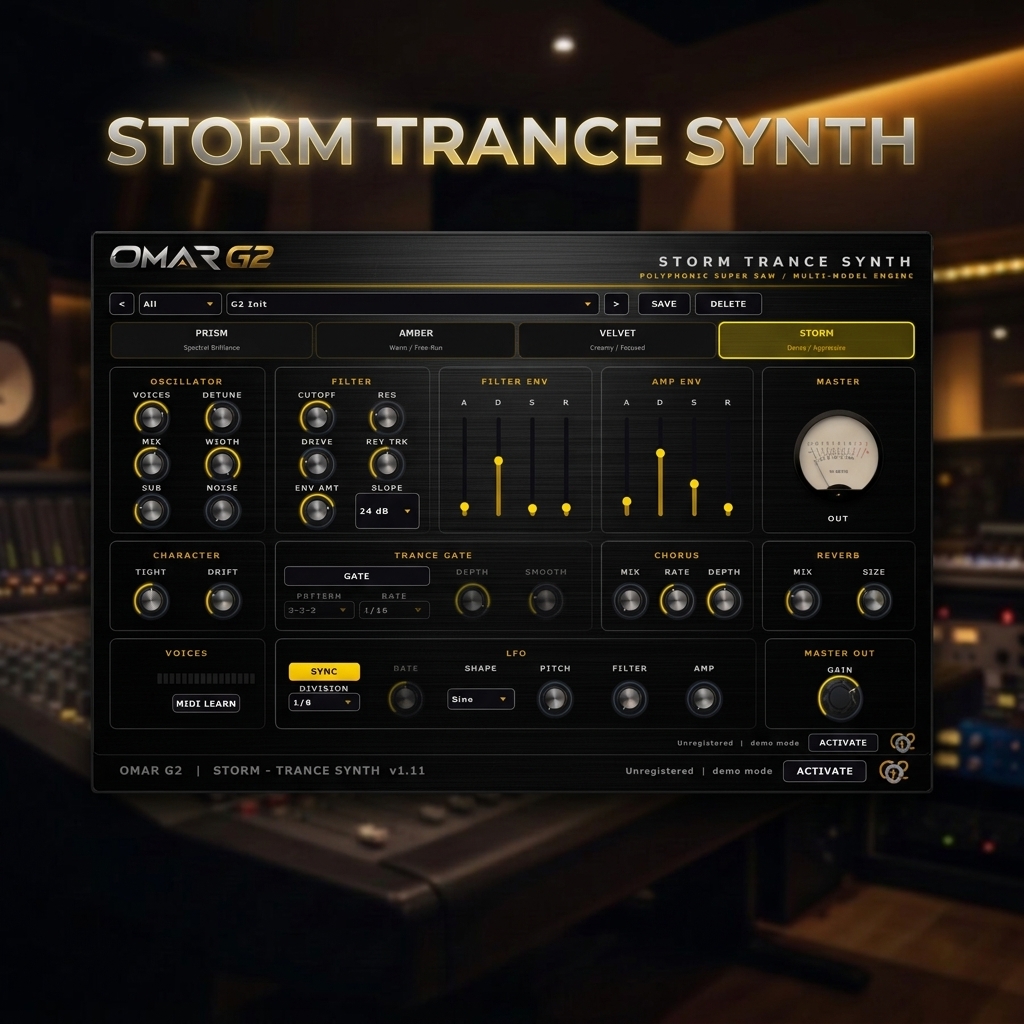
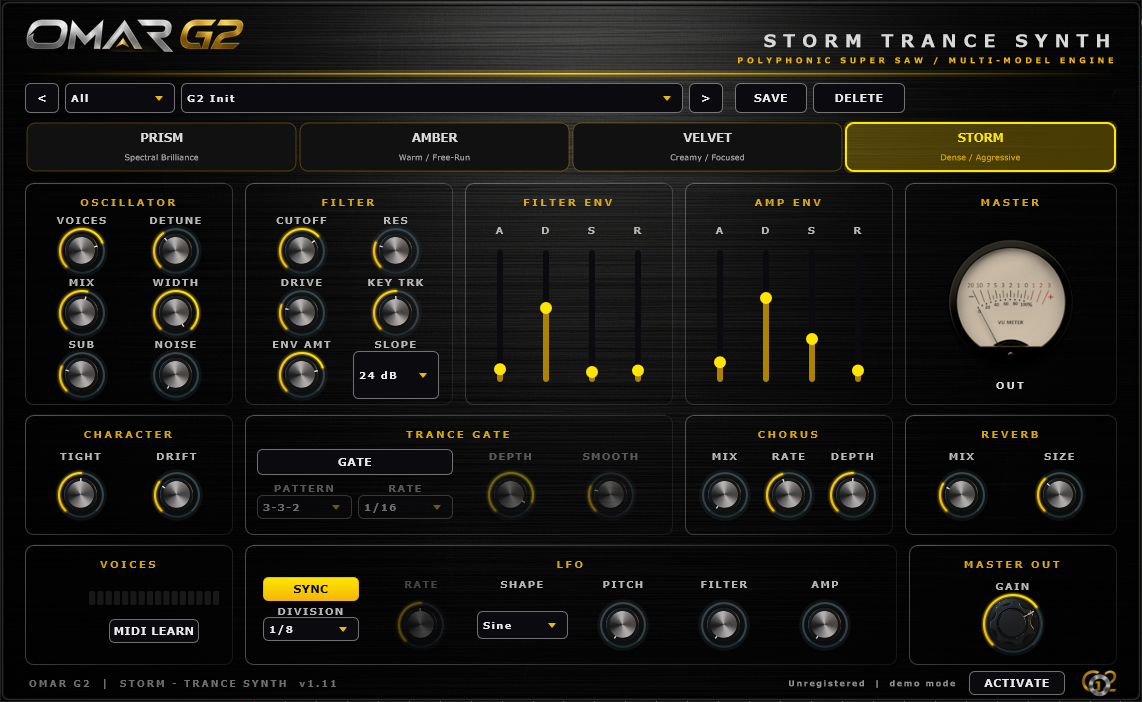
STORM TRANCE SYNTH — Multi-Model SuperSaw VST3, AU (Logic) & Linux
The definitive SuperSaw processor for modern trance production. Four legendary engines, one rock-solid plugin.
Born from two years of DSP research and a deep obsession with the trance sound, Storm Trance Synth by OMAR G2 is the first virtual instrument that puts four distinct SuperSaw personalities under your fingertips — without compromising stability, CPU efficiency, or sonic character.
Whether you’re chasing the bright width of the original JP-8000, the warmth of drifting analog oscillators, the creamy focus of a lead synth, or the aggressive wall-of-sound of a modern HyperSaw, Storm delivers it all in a single, multi-platform plugin.
TRY IT FREE — DOWNLOAD THE DEMO
Download the free demo for your operating system and test Storm Trance Synth in your own productions. The demo is fully functional — the audio is muted for a few seconds at regular intervals until you activate a license. (If you purchased a license, use these same files and enter your key in the plugin).


Secure downloads · No signup required · Multi-Platform Support
WHY STORM TRANCE SYNTH?
Most commercial synthesizers offer a single SuperSaw model, often tuned for a specific genre. Storm Trance Synth takes a different approach: it provides four distinct oscillator engines in one interface, backed by professional DSP architecture and bulletproof real-time stability.
- Four sonic personalities — From classic JP-8000 brightness to aggressive HyperSaw density.
- PolyBLEP anti-aliasing — Crystal-clear highs up to 20 kHz, zero aliasing artifacts even at extreme detune.
- Power-based normalization — Consistent perceived loudness whether you use 1 or 13 oscillators per voice.
- TPT State Variable Filter — Zavalishin topology with dynamic resonance compensation and zero-delay feedback.
- Custom 16-line FDN Reverb — A “cohesion processor” designed to glue your mix without the metallic ring of classic algorithmic reverbs.
- Voice-level numerical watchdog — Instantly repairs NaN/Inf anomalies in real time. Zero crashes, zero glitches.
- 16-step Trance Gate — Tempo-synced with 6 rhythmic patterns and adjustable smoothness.
THE FOUR OSCILLATOR ENGINES
PRISM — The JP-8000 Emulation
The sound that defined a generation of trance. PRISM faithfully recreates the asymmetric detune curve, randomized phases, and aggressive high-pass filtering of Roland’s legendary 1996 synthesizer. Bright, wide, and spectral.
AMBER — Classic Analog Warmth
Free-running oscillators with linear detune, full low-end preservation, and a gentle 12 kHz low-pass filter. Thick, bass-heavy, and unmistakably analog. Perfect for rolling basslines and warm pads.
VELVET — The Focused Lead
A proprietary detune law keeps inner voices tight around the fundamental while outer voices spread wide. The result? A creamy, mono-compatible lead that cuts through any dense mix without losing stereo width.
STORM — The Aggressive HyperSaw
Up to 13 oscillators per voice, wide detune, alternating panning, and built-in soft saturation. This is the “wall of sound” engine — dense, aggressive, and built for festival-sized drops.
THE FACTORY PRESETS
Storm Trance Synth ships with +20 factory presets meticulously crafted for modern electronic music, organized by genre so you can find the right starting point in seconds:
- Uplifting Trance: Euphoric leads, wide supersaw stacks, and emotional pads.
- Psytrance: Rolling basslines, squelchy acid sequences, and aggressive stabs.
- Progressive: Deep plucks, atmospheric textures, and evolving drones.
- Tech Trance: Driving sequences, punchy kicks, and industrial-tinged leads.
BULLETPROOF REAL-TIME STABILITY
High-polyphony synthesizers are notorious for numerical instability. Storm solves this with a voice-level watchdog that monitors every voice every 8 samples, instantly repairing any NaN or Inf anomalies before they reach your speakers.
Combined with a fully lock-free audio thread (no dynamic memory allocations, no locks, no string operations in the audio path), Storm is one of the most stable SuperSaw plugins available — period.
INSTALLATION GUIDE
Storm Trance Synth is delivered as a ZIP file containing the plugin. No external libraries or additional files are required. Jump to your system: Windows · macOS VST3 · macOS AU (Logic Pro) · Linux
Important: a .vst3 plugin is a folder (on macOS it looks like a single file in Finder). Always copy the entire folder, and never place it inside another folder.
Storm Trance Synth is developed independently. Code-signing and notarization require paying a yearly fee to Apple and Microsoft, and we prefer to keep that money in the product and its price. As a result, the plugin is unsigned, and macOS and Windows may report it as damaged or from an unknown publisher. It is not damaged. The steps below take less than a minute and only need to be done once.
WINDOWS (VST3)
Step 1 — Unblock and extract. Right-click the downloaded ZIP, choose Properties, tick Unblock if the checkbox appears, and click OK. Then right-click the ZIP and choose Extract All… (or use 7-Zip / WinRAR). If Windows shows “Windows protected your PC” (SmartScreen), click More info and then Run anyway / Keep.
Step 2 — Copy the plugin. The ZIP contains the folder Storm Trance Synth.vst3. Copy that whole folder into:
C:\Program Files\Common Files\VST3
Approve the administrator prompt if Windows asks. The result must be C:\Program Files\Common Files\VST3\Storm Trance Synth.vst3\... with no extra folder in between.
Step 3 — Rescan the plugins in your DAW.
macOS (VST3)
Step 1 — Extract. Double-click StormTranceSynth-Mac-VST3.zip. It contains Storm Trance Synth.vst3.
Step 2 — Copy the plugin. In Finder, choose Go → Go to Folder…, paste the path below, and drag the folder into it:
/Library/Audio/Plug-Ins/VST3/
Step 3 — Remove the macOS quarantine flag. Open the Terminal app, paste this command, press Enter and type your Mac password if asked (nothing appears while typing, that’s normal):
sudo xattr -dr com.apple.quarantine "/Library/Audio/Plug-Ins/VST3/Storm Trance Synth.vst3"
Step 4 — Rescan the plugins in your DAW.
macOS (AU for Logic Pro)
Step 1 — Extract. Double-click StormTranceSynth-Mac-AU.zip. It contains Storm Trance Synth.component.
Step 2 — Copy the plugin. In Finder, choose Go → Go to Folder…, paste the path below, and drag the folder into it:
/Library/Audio/Plug-Ins/Components/
Step 3 — Remove the macOS quarantine flag. Open Terminal and run:
sudo xattr -dr com.apple.quarantine "/Library/Audio/Plug-Ins/Components/Storm Trance Synth.component"
Step 4 — Open Logic Pro. Logic validates new plugins on launch. If it doesn’t appear, go to Logic Pro → Settings → Plug-In Manager, select Storm Trance Synth and click Reset & Rescan Selection. You’ll find it under Audio FX → Audio Units → OMAR G2.
LINUX (VST3)
Step 1 — Extract. Extract StormTranceSynth-Linux.zip with your file manager, or open a terminal in the download folder and run unzip StormTranceSynth-Linux.zip. It contains the folder Storm Trance Synth.vst3.
Step 2 — Install it for your user. From the folder where you extracted it, run:
mkdir -p ~/.vst3
cp -r "Storm Trance Synth.vst3" ~/.vst3/
Optional, for all users of the machine: sudo cp -r "Storm Trance Synth.vst3" /usr/lib/vst3/
Step 3 — Rescan the plugins in your DAW (Reaper, Bitwig, Ardour, etc.).
IMPORTANT NOTES
- Available as VST3 for Windows 10/11 64-bit and Linux, and as VST3 and AU for macOS. The AU format is required for Logic Pro.
- Requires a VST3-compatible DAW (Ableton Live, FL Studio, Cubase, Studio One, Reaper, Bitwig, etc.), or Logic Pro on macOS via AU.
- No external DLLs or runtimes are required — all dependencies are built into the plugin.
- Your DAW may need to rescan plugins after installation.
The plugin doesn’t appear in my DAW
- Check the folder structure from the steps above. The most common cause is an extra folder level (
Storm Trance Synth.vst3\Storm Trance Synth.vst3\...). - Make sure there is only one copy of the plugin in your VST3 folders.
- Run a full rescan. If your DAW keeps a list of failed plugins, clear it first.
- Windows: confirm you unblocked the ZIP (Step 1) before extracting.
- macOS: confirm you ran the
xattrcommand on the exact file you installed, then restart your DAW. - Still stuck? Write to hello@omarg2.com and tell us your OS and DAW.
SUPPORT & GUARANTEE
Every purchase includes email support and a 14-day money-back guarantee — if Storm Trance Synth doesn’t fit your workflow, contact us for a full refund, no questions asked.
Need help? Write to hello@omarg2.com and we’ll get back to you within 24 hours.
BUY STORM TRANCE SYNTH — INSTANT LICENSE
Secure checkout · Instant delivery by email · 2 activations included


Reviews
There are no reviews yet.